
Connect PocketCinema
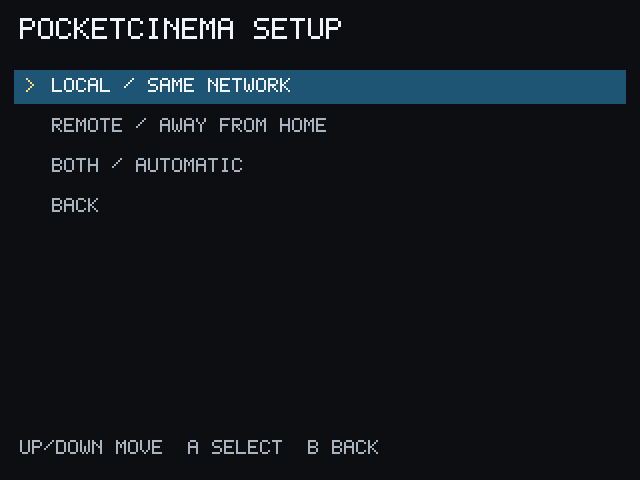
The first time PocketCinema starts without a saved connection, it opens PocketCinema setup.
Choose a connection
Section titled “Choose a connection”Select the option that matches where you use the Miyoo:
- Local / same network — the Miyoo and computer are on the same trusted network. Scan for PCServer or enter the address shown by the desktop app.
- Remote / away from home — use the PCServer address reachable through your separately configured private network. Remote setup can use the configured generic HTTP proxy.
- Both / automatic — save both addresses. PocketCinema tries Local first and can use Remote when Local is unavailable.
The exact connection choices are also available later from Settings.
Check the result
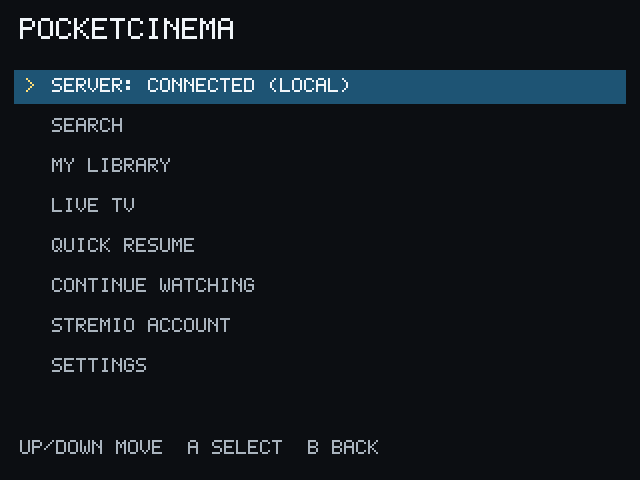
Section titled “Check the result”After the address is saved, PocketCinema checks PCServer. Return to the Home screen and confirm that the status row says Server: Connected. If it does not, see Troubleshooting.
Do not use 127.0.0.1 as the Miyoo’s PCServer address. On the Miyoo, that means
the Miyoo itself. The 127.0.0.1 default belongs to a Stremio Service running
locally on the PCServer computer.
Remote access should use the independent Tailscale companion or another private, access-controlled route. Do not expose PCServer through public port forwarding.