
PRISM Surface Tool
The PRISM Surface Tool is the unified scatter component. It creates Mesh Quads and HDRP Decals from the same receiver mesh and preserves repeatable results when the receiver, settings, and Seed are unchanged.
The top of the Inspector contains Default Output, backend status, profile actions, validation messages, and the main tabs:
Sources— textures, weights, routing, and per-entry overrides.Placement— density, size, rotation, offsets, spacing, face fitting, and attempts.Filtering— masks, Object Detection, slope, and density filtering.Output— Mesh Quad or HDRP Decal settings used by active output routes.Advanced—SeedandShow Help Text.Debug— preview rays, overlays, and diagnostic colors.
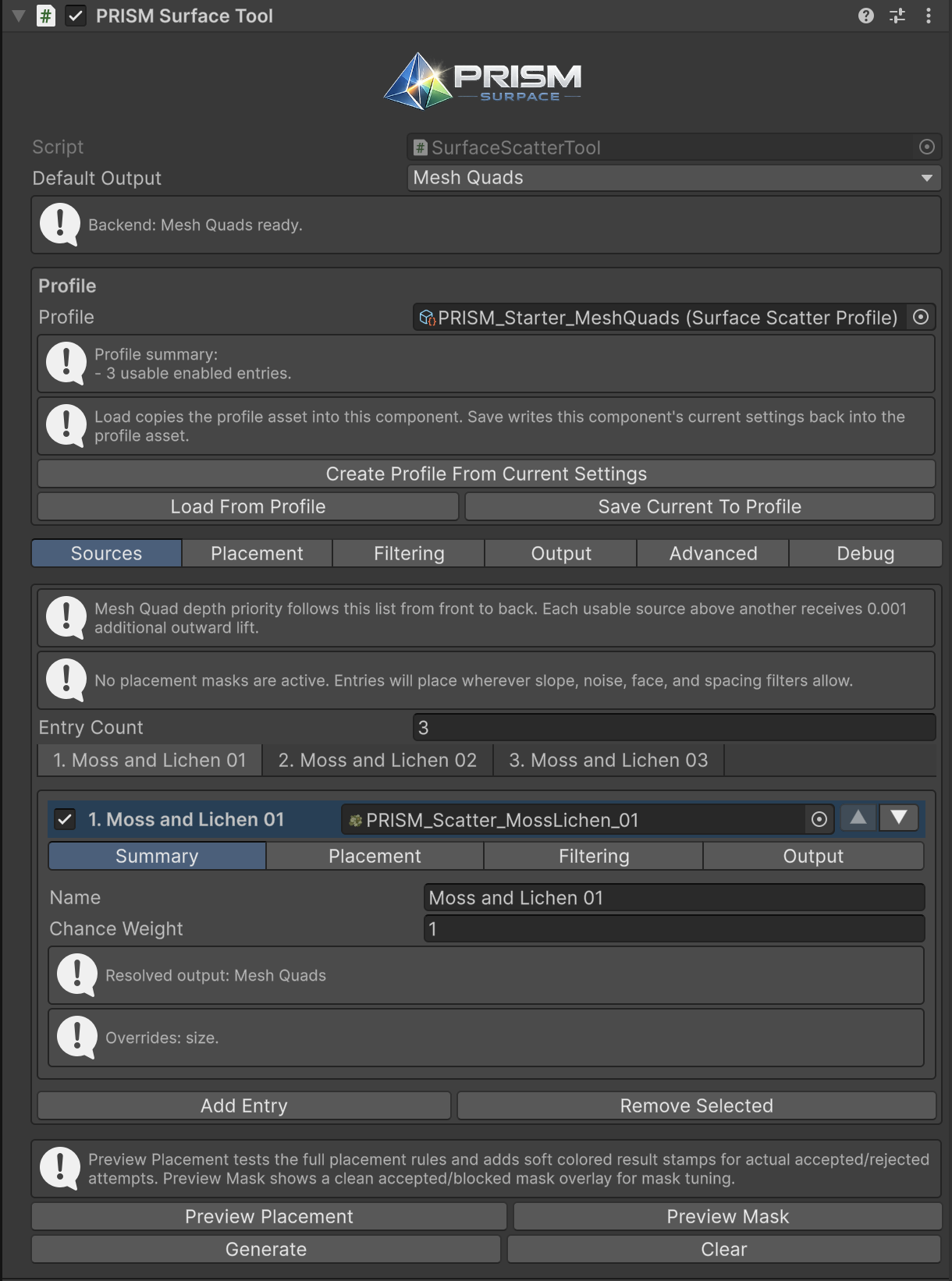
The unified Inspector: output, profile actions, source tabs, and preview/generation controls.
The bottom action buttons have distinct jobs:
| Button | What it does |
|---|---|
Preview Placement |
Tests the full placement process and shows accepted/rejected attempt results. |
Preview Mask |
Shows only the active mask’s accepted/blocked regions for mask tuning. |
Generate |
Builds every active output group. |
Clear |
Removes generated Mesh Quad and HDRP Decal output for this tool. |
When several objects are selected, backend status is less specific. Inspect a single object when diagnosing output configuration.
Placement controls
Section titled “Placement controls”Density is the shared candidate budget for entries that do not override density. Increase it gradually; actual accepted count can be lower after masks, spacing, slope, face constraints, and output checks.
Size Variation controls randomized size. In Fine Tuning, Surface Offset Variation moves an item sideways on the sampled surface. Surface Lift moves the result away from the receiver to reduce z-fighting. For Mesh Quads, Close Mesh To Surface is useful for wall-attached details. For HDRP Decals, keep Surface Lift lower than Projection Depth so the source surface remains inside the projection volume.
Rotation can be Random, Stepped Random, or Align To World Down On Surface. Use stepped rotation for deliberately repeated card orientations; use world-down alignment for details such as drips that need a consistent downward direction. Minimum Spacing rejects placements that are too close together.
Placement Attempts limits how many attempts PRISM uses to find valid placement. Raising it can help a constrained setup fill more of the allowed area, but it is not a substitute for making impossible constraints possible.
Keep Inside Source Face applies to both Mesh Quad card footprints and HDRP Decal projector footprints. It fits the final footprint inside the sampled coplanar source-face group. Curved or finely triangulated receivers can have small face groups, so fitting may reduce the final generated size; placements with no meaningful fitted size are rejected. For HDRP Decals, this shared fitting is separate from Edge Bleed Guard, which rejects unsafe projector footprints rather than fitting them. Use Object Face filtering per source when you need a source only on a local Front, Back, Left, Right, Top, or Bottom direction.
Filtering controls
Section titled “Filtering controls”Filtering runs after candidate sampling. A placement can be rejected by a mask, slope range, random density filter, object constraint, edge safety rule, face fitting, or spacing.
Surface Slope compares the sampled surface orientation to your allowed range. Random Density Filter uses world-space noise to thin otherwise valid placement; use Noise Patches in Placement Mask when you need visible patch-shaped allowed regions instead.
See Placement and Filtering for the full filtering workflow.
Advanced and Debug
Section titled “Advanced and Debug”Seed makes a setup repeatable. Change it to get a different deterministic arrangement without changing the rest of the rules. Show Help Text keeps explanatory Inspector text visible; disable it once the workflow is familiar.
Debug controls are optional. Draw Preview Rays enables ray/stamp diagnostics, Preview Sample Count controls their amount, and Mask Preview Entry selects a source for mask visualization. The rejection-color controls are diagnostics only; they do not change material channels or placement behavior.