
Sources and Per-Entry Overrides
Each item in Sources is a scatter entry: one source texture plus the choices that determine where and how it appears. Entries are selected by their dynamic source tabs. A tab uses the entry name, then its texture name, then a numbered fallback name. Use Add Entry to create a source and Remove Selected to remove the active source after confirmation.
Every selected entry has four nested tabs:
Summaryshows the name, enabled state,Chance Weight, resolved output, validation, active mask state, and an override summary.Placementcontains local Density, Minimum Spacing, Soft Limit, Scale, Planar Offset, and Rotation overrides.Filteringcontains Object Face, mask, Object Detection, slope, and density-filter overrides.Outputchooses output routing and an optional HDRP Decal Draw Order override.
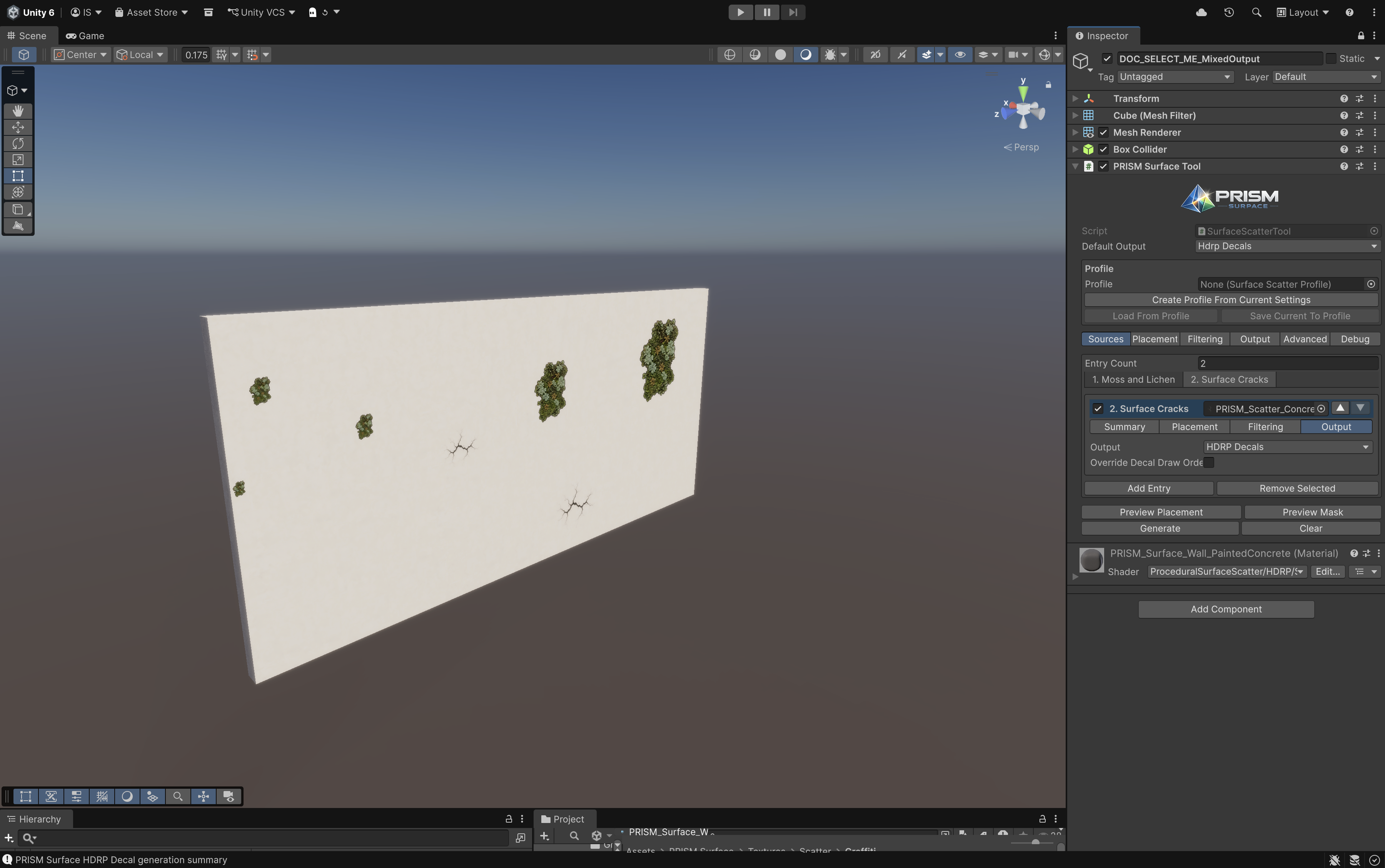
Each source resolves its own output route and exposes focused per-entry tabs.
Inheritance: global first, local only when needed
Section titled “Inheritance: global first, local only when needed”An entry uses the tool’s global value until its matching Override ... control is enabled. This keeps a multi-source setup compact: change a global rule to update most entries, then override only the source that needs different behavior.
For example, a moss source can use Override Minimum Spacing for closer placement while a crack source uses the global spacing. A graffiti source can route to HDRP Decals while dirt sources keep the default Mesh Quad output.
Core source controls
Section titled “Core source controls”Enabled removes an entry from selection without deleting its setup. Chance Weight controls the relative likelihood of eligible entries that share a candidate budget; it is not a guaranteed count. A texture must be assigned and its chance weight must be positive for an entry to be usable.
Output offers Use Default, Mesh Quads, and HDRP Decals. Use Default follows the component’s Default Output and is the safest option for sources that should change with the overall setup.
Placement overrides
Section titled “Placement overrides”| Override | Use it when | Important behavior |
|---|---|---|
Density |
One source needs more or fewer candidates than the shared setup. | It receives its own candidates-per-area budget; it adds to, rather than shares, the global budget. |
Minimum Spacing |
Dense moss or sparse hero marks need different gaps. | In a shared pass, the larger spacing wins where entries meet. |
Soft Limit |
A source must not exceed a maximum accepted count. | It is a cap, not an exact-count promise. |
Scale Range / Planar Offset Range |
A source needs a different size or sideways placement character. | Keep scale realistic for the texture and output type. |
Rotation |
A source needs random, stepped, or world-down alignment. | World-down alignment is useful for directional marks. |
Soft Limit = 1 means at most one accepted placement for that entry. Masks, slope, face rules, spacing, Object Detection, and decal safety can still reduce the accepted count to zero.
Filtering overrides
Section titled “Filtering overrides”Override Object Face restricts a source to a local object direction. Front is local +Z, Back is local -Z, and the remaining choices use the object’s local axes. On curved or angled geometry, PRISM classifies the sampled surface by its strongest local normal direction. If an imported model’s visual front differs from local +Z, choose the matching direction or correct the object’s orientation.
Per-entry Placement Mask, Mask Cutoff, Object Detection, slope, and random density filtering work the same way as global filtering but only for that source. This makes it practical to place moss around a prop while keeping a gum or debris source away from it.
Output override
Section titled “Output override”The Output tab can also enable Override Decal Draw Order for HDRP Decal entries. Decal Draw Order is an integer from -50 to 50; higher values appear in front when overlapping decals are drawn. Use a local override only when a particular decal needs a deliberate overlap priority.
Next: Output workflows.