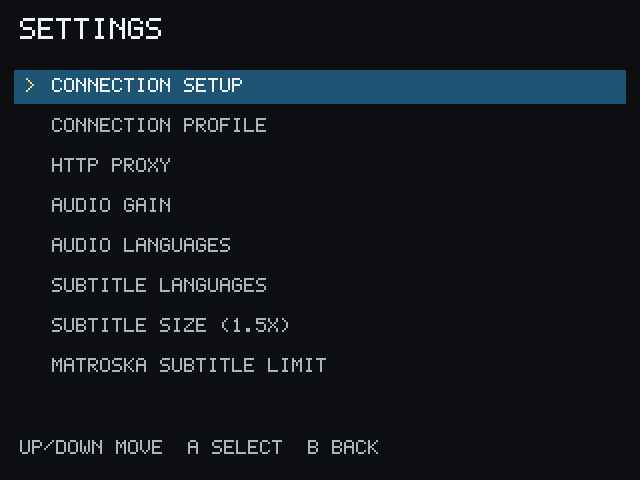
Settings
Choose Settings from Home. The available options are grouped by what they change during everyday use.
Connection
Section titled “Connection”- Connection setup starts the Local, Remote, or Both / automatic setup.
- Connection profile edits saved Local and Remote PCServer addresses and the active mode.
- HTTP proxy configures the optional generic proxy used when the network requires it. Leave it empty for a normal direct connection.
- Audio gain adjusts playback loudness.
- Audio languages sets preferred audio-language order or restores manual selection.
Subtitles
Section titled “Subtitles”- Subtitle languages sets preferred subtitle-language order.
- Subtitle size selects a readable subtitle scale from 1.0x through 3.0x; 1.5x is the default.
- Matroska subtitle limit controls how many tracks per language may be packaged for selectable subtitle playback.
Settings are saved in the PocketCinema app configuration and are separate from the Tailscale companion’s settings.