
PRISM Material Converter
Use the PRISM Material Converter to create PRISM Surface materials from supported HDRP/Lit materials. Open it from Tools > PRISM Surface > Convert Materials. The workflow is Scan → Review → Convert → optional renderer replacement → continue editing in PRISM Surface Materials. Conversion creates new materials and leaves the source materials unchanged.
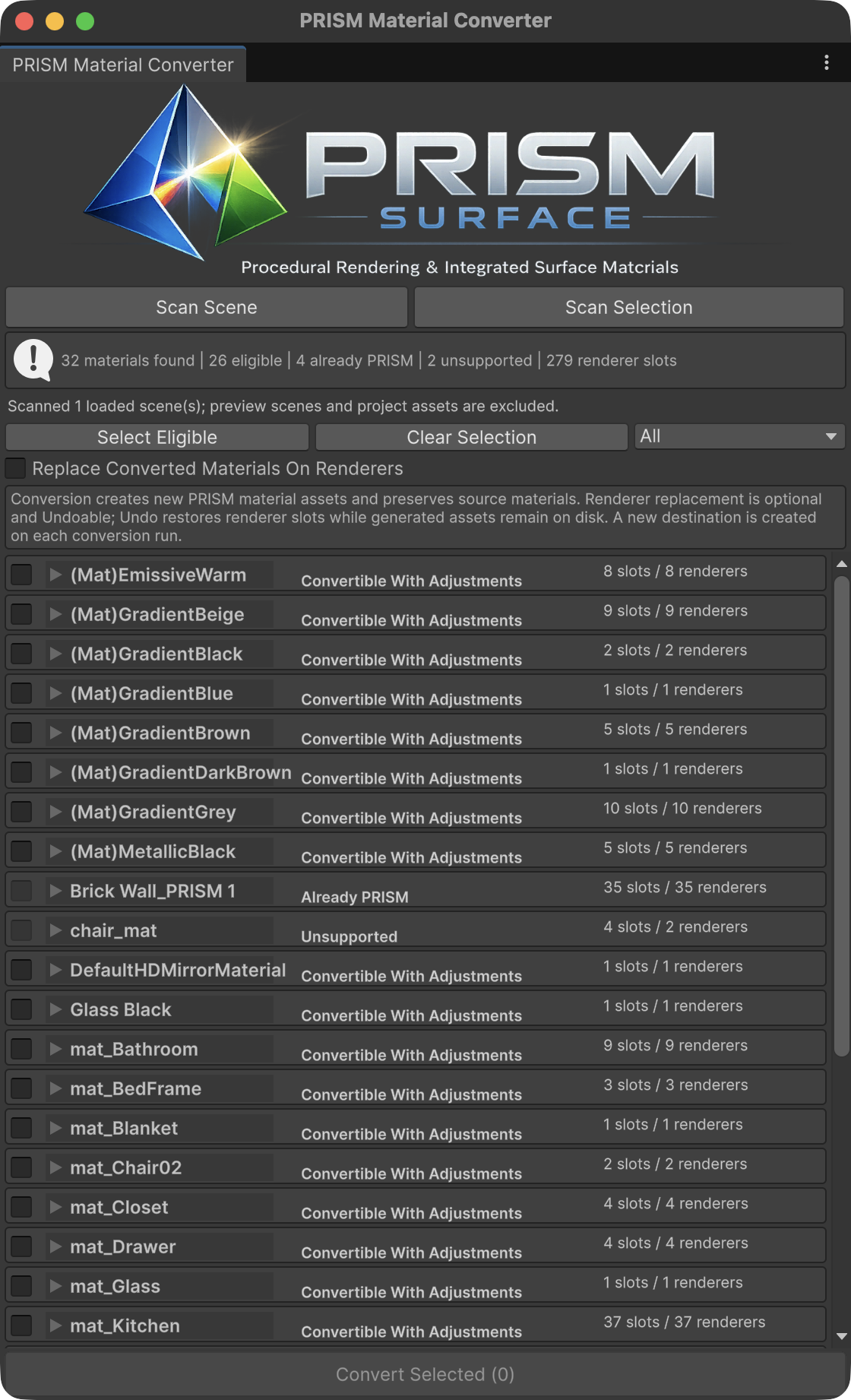
The PRISM Material Converter scans a loaded scene or the current selection and classifies referenced materials before conversion.
Scan and review
Section titled “Scan and review”- Choose
Scan Sceneto inspect renderers in loaded scenes, including inactive objects, orScan Selectionto inspect selected scene GameObject hierarchies and their children. - A material referenced by multiple renderer slots is listed once, with its renderer and slot usages shown under that candidate.
- Review each classification: Already PRISM, Fully Convertible, Convertible With Adjustments, or Unsupported. Already PRISM and Unsupported materials remain visible for review but cannot be selected for conversion.
- Select eligible materials with their checkboxes or use
Select Eligible. Expand a candidate to inspect its source path, proposed surface type, warnings, required adjustments, UV/triplanar risk, unsupported features, and renderer slot usages before converting.
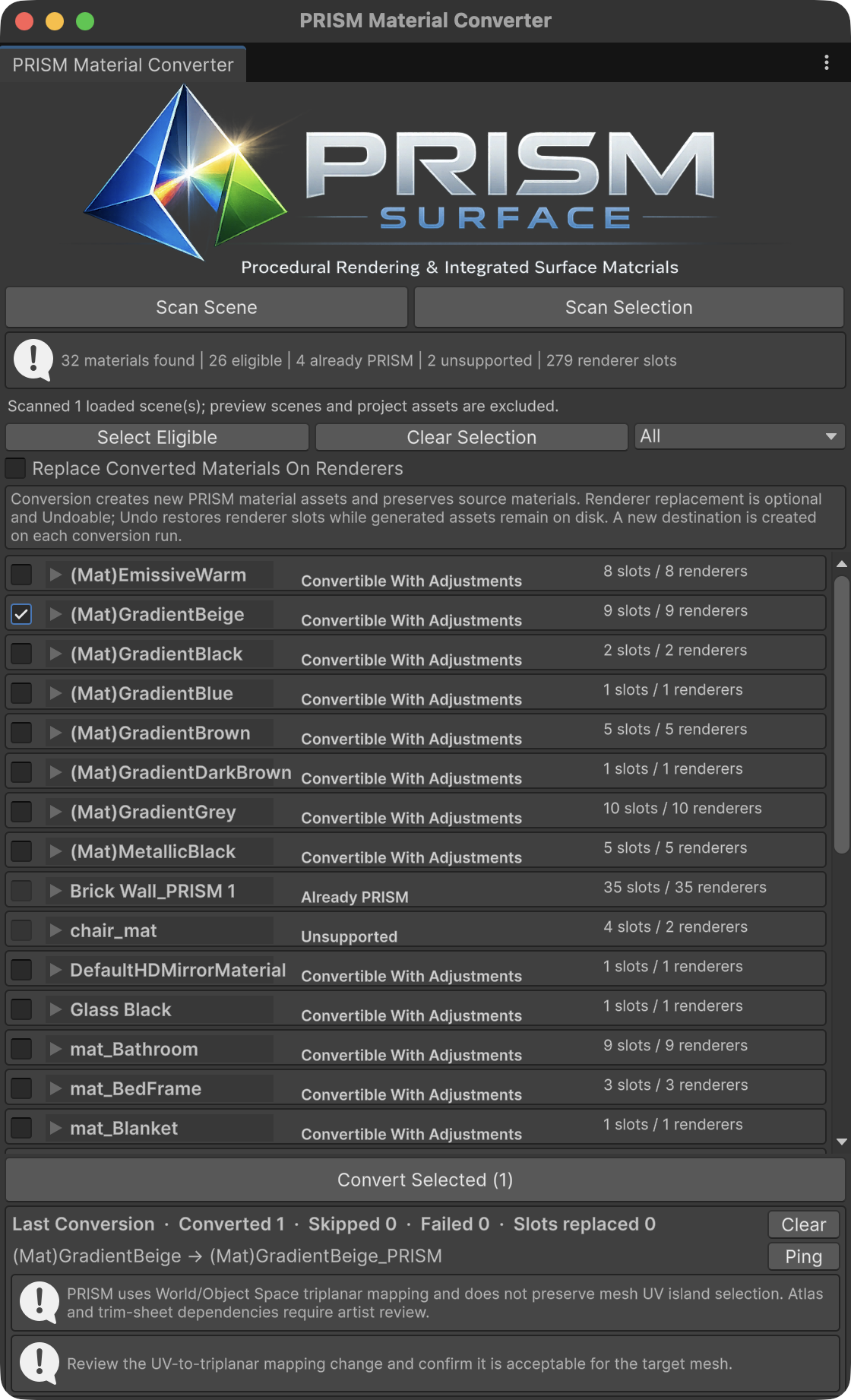
Review compatibility warnings and the conversion summary; renderer assignment replacement is optional.
Convert and continue editing
Section titled “Convert and continue editing”Choose Convert Selected after reviewing the selected candidates. Materials with warnings, adjustments, or triplanar review risks prompt for confirmation. The converter rechecks selected materials, creates new PRISM material assets beside their source materials, and reports converted, skipped, or failed results in the conversion summary. Source materials and their texture import settings are preserved.
Replace Converted Materials On Renderers is optional and off by default. When enabled, the converter replaces scanned renderer slots that still reference the source material. Unity Undo restores changed renderer assignments; the newly created PRISM material assets remain in the project after Undo. With replacement off, the original renderer assignments stay in place and you can assign the converted materials when ready.
After conversion, open Tools > PRISM Surface > Material Tool to load and continue editing a converted material like any other PRISM Surface material.
Before and after conversion
Section titled “Before and after conversion”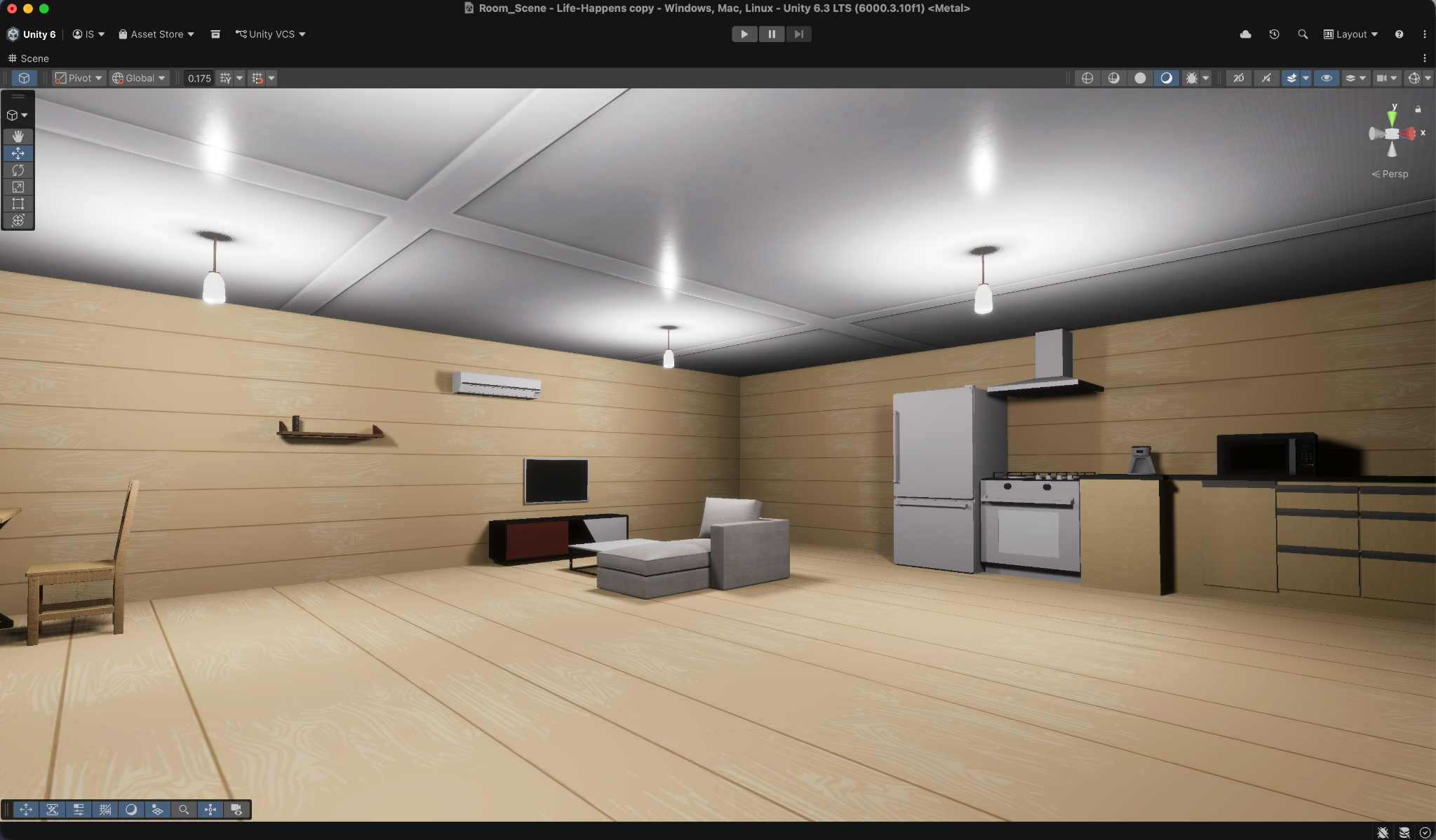
Before: the renderer uses the original HDRP materials.
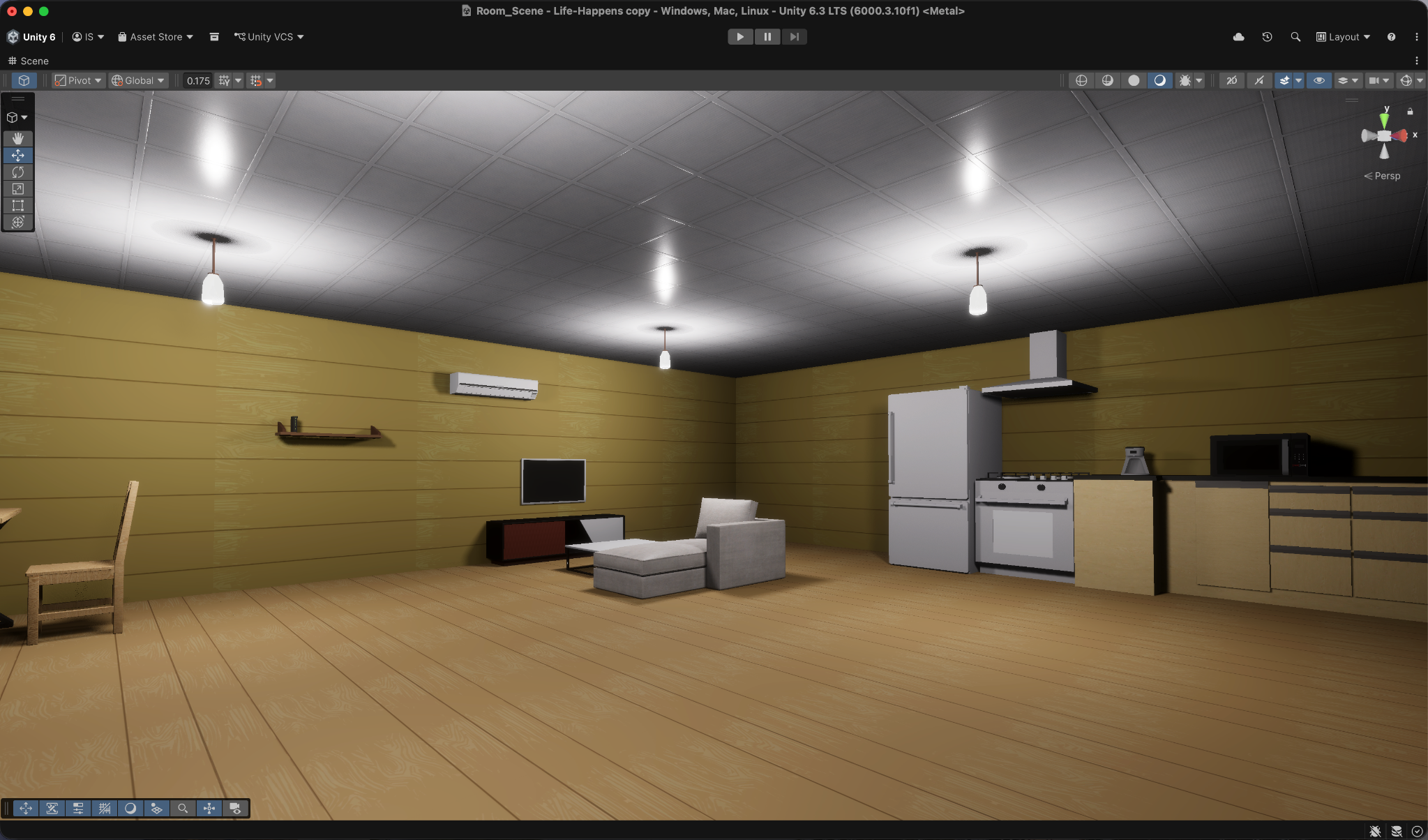
After: the renderer uses newly created PRISM materials. This example does not imply a pixel-identical match to the original.
PRISM Surface uses triplanar mapping rather than the source material’s mesh UV layout, so texture scale or orientation can change after conversion. Ordinary HDRP materials can often convert successfully, but inspect the result on the intended meshes. Atlas, trim-sheet, baked-layout, and other materials that depend on specific UV regions may need artist review. The converter surfaces mapping warnings to help with that review; v1.1.0 does not include multi-region or atlas-aware conversion.
Next: PRISM Material From Image.