
PRISM Surface User Manual
Artist documentation for the Unity 6 HDRP toolset from Quantum Rift Interactive.
View the PRISM Surface product pagePRISM Surface is a Unity 6 HDRP toolkit for making environment surfaces feel less repetitive and for placing texture-based detail across mesh geometry. It combines a PRISM material workflow with a deterministic scatter workflow, so artists can author the surface look and place grime, moss, scratches, graffiti, leaks, and similar detail without hand-placing every instance.
PRISM means Procedural Rendering & Integrated Surface Materials. It is published by Quantum Rift Interactive.
Unity Asset Store status: Pending
This page is the canonical entry point for the PRISM Surface v1.1.0 artist documentation. Read the pages in order for a first project, or use the reference links for a specific task.
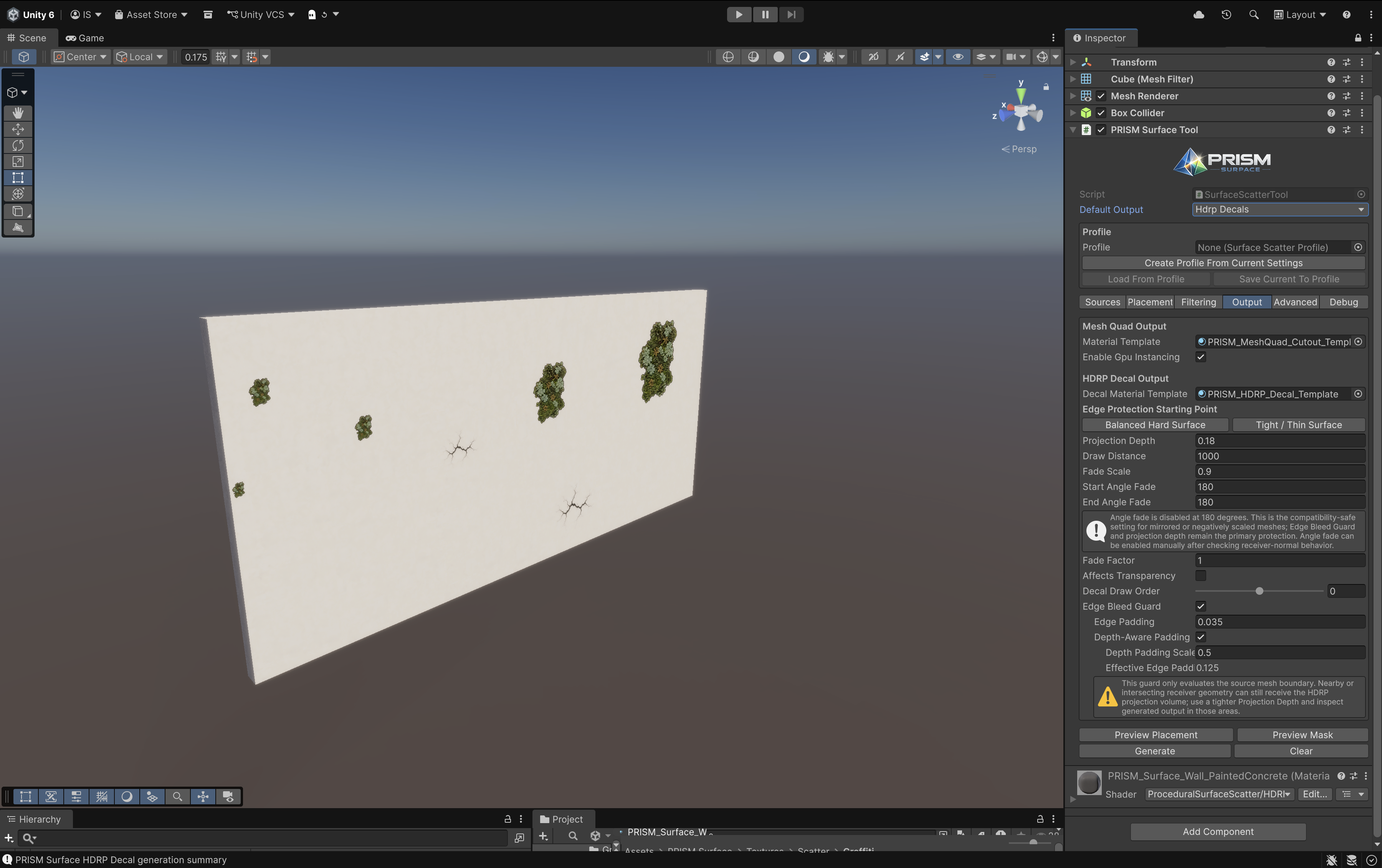
PRISM Surface combines receiver materials with Mesh Quad and HDRP Decal detail on the same surface.
Start here
Section titled “Start here”- Requirements and installation
- Quick start: make a first scatter result
- PRISM Surface Tool
- Sources and per-entry overrides
- Output workflows: Mesh Quads, HDRP Decals, and mixed output
Complete guide
Section titled “Complete guide”- Placement, filtering, masks, object detection, and drip streaks
- Preview, profiles, and practical recipes
- PRISM Surface materials, UV variation, anti-tiling, emission, and macro variation
- PRISM Material Converter
- PRISM Material From Image
- Release Notes
- Performance, Troubleshooting & FAQ
What PRISM Surface solves
Section titled “What PRISM Surface solves”PRISM Surface has three connected artist workflows:
- PRISM Surface materials use fixed triplanar mapping, UV variation, anti-tiling, detail, emission, and macro variation to reduce obvious texture repetition on large or multi-directional surfaces.
- PRISM Surface Tool samples a MeshFilter deterministically and generates Mesh Quads, HDRP Decals, or both from weighted source textures and placement rules.
- Material From Image turns a readable image into PRISM-compatible maps and material assets, with optional scatter bridge assets.
The systems are complementary, not interchangeable: material controls change how a receiver looks; scatter controls decide where separate surface details are placed.
Mesh Quads or HDRP Decals?
Section titled “Mesh Quads or HDRP Decals?”| Choose | Best when | Main consideration |
|---|---|---|
| Mesh Quads | You need explicit card geometry, alpha-cutout detail, or a projection-free result. | Use the supplied alpha-cutout Mesh Quad template; inspect fitting at hard edges. |
| HDRP Decals | You want projected detail that participates in HDRP decal channels. | Keep Projection Depth tight and inspect corners, thin geometry, and nearby receivers. |
| Mixed output | Different source textures need different output types on the same receiver. | Configure routing per source; Generate and Clear affect both groups. |
Product scope
Section titled “Product scope”PRISM Surface v1.1.0 is an HDRP-focused Unity 6 workflow. It is not a URP tool. The product-facing component is named PRISM Surface Tool; older projects can still display legacy component names for compatibility.
For package notices, see PRISM Surface AI Content Notice and Third-Party Notices.txt in this Documentation folder.